
How do compliance issues work?
A compliance issue is a problem on a property that a government user wants the registrant to see and fix. It is separate from a comment. A comment is a note. A compliance issue stays open until the registrant reports it resolved and the party that raised it checks and clears it.
Flagging an issue does not change the registration status. A compliant registration stays compliant.
Hera Registry staff can flag an issue the same way a government user can. The steps below are written for government users and registrants.
Government users: flag an issue
- Open the registration in your government portal.
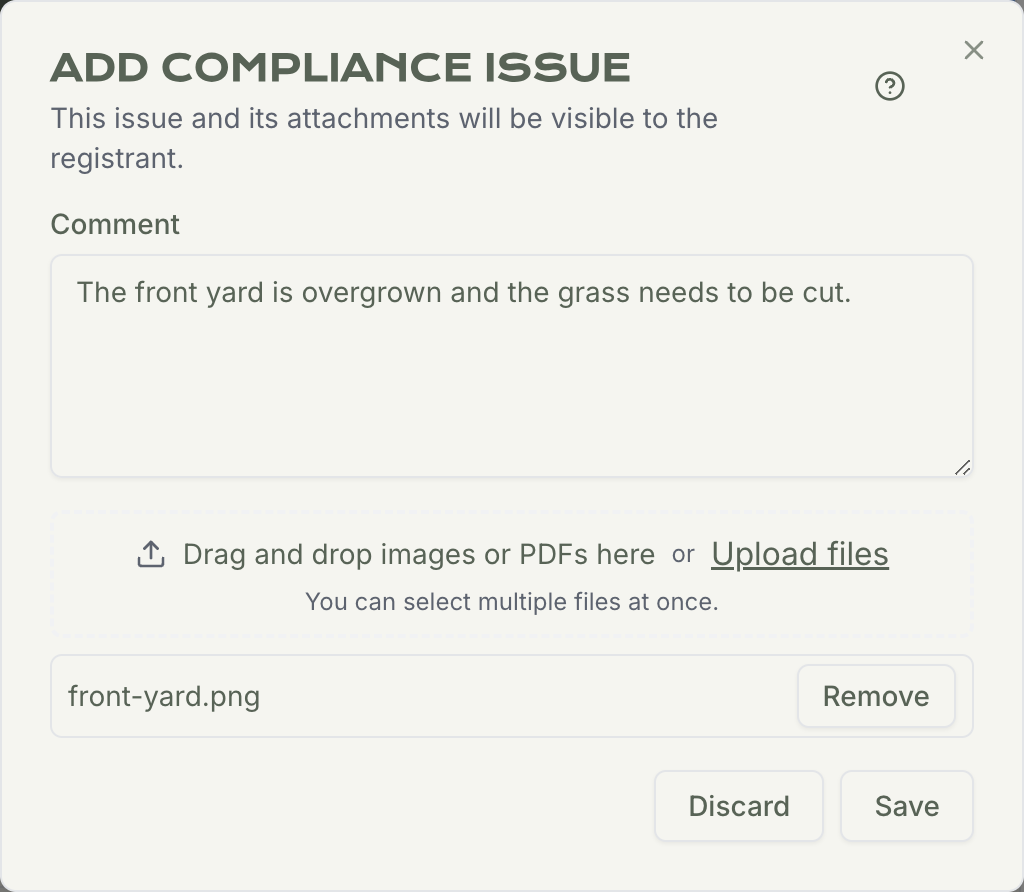
- In Issues & Comments, click Add Compliance Issue…
- Describe the problem. A blank issue cannot be saved.
- Attach photos or other files if they help. Photos are shown on the registration and in the email.
- Click Save.
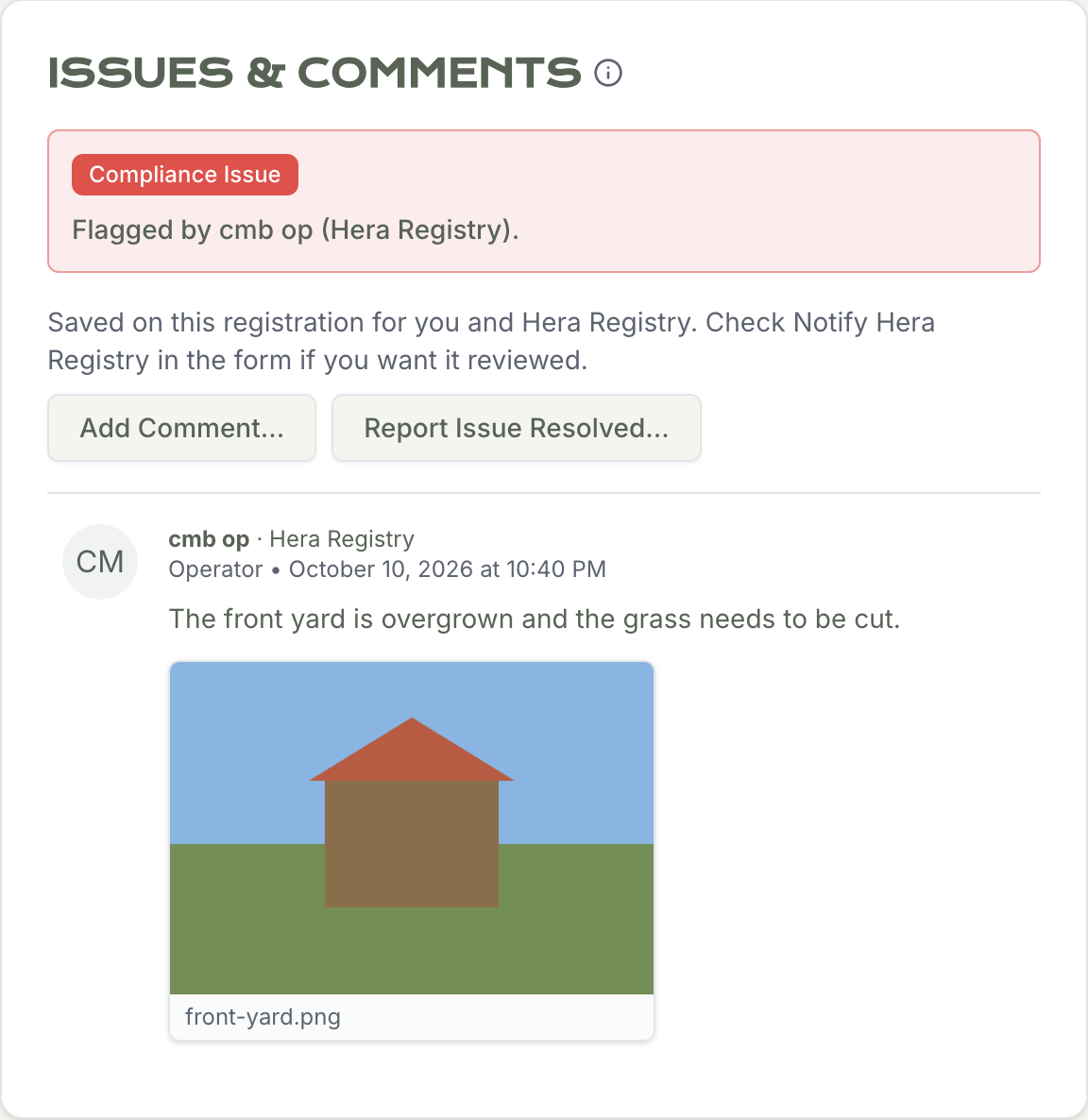
The issue is visible to the registrant right away, on that registration, under Issues & Comments. It is labeled Compliance Issue and names who flagged it.
The company’s primary account receives an email at once. The subject and the message name the property address. Photos attached to the issue are included in the email. The registration also appears in Needs Attention for the registrant and on your registration list, labeled Compliance Issue.
Only one compliance issue can be open on a registration at a time. You cannot flag a second one until the current issue is cleared.
Registrants: see the issue and report it resolved
-
Sign in to the registrant portal.
-
Open the registration. You will also see it on your Needs Attention list.
-
In Issues & Comments, read the Compliance Issue note and open any photos.
-
When you have fixed the problem, click Report Issue Resolved…
-
Describe what you did, attach photos if you have them, and click Save.
That comment is saved on the registration. The label changes from Compliance Issue to Ready for Check. You do not use Notify Hera Registry for this step. The property stays in Needs Attention until the issue is cleared.
You can still use Add Comment… to leave an ordinary note while an issue is open. That is the comment process, not the report that the issue is resolved.
Government users: check and clear it
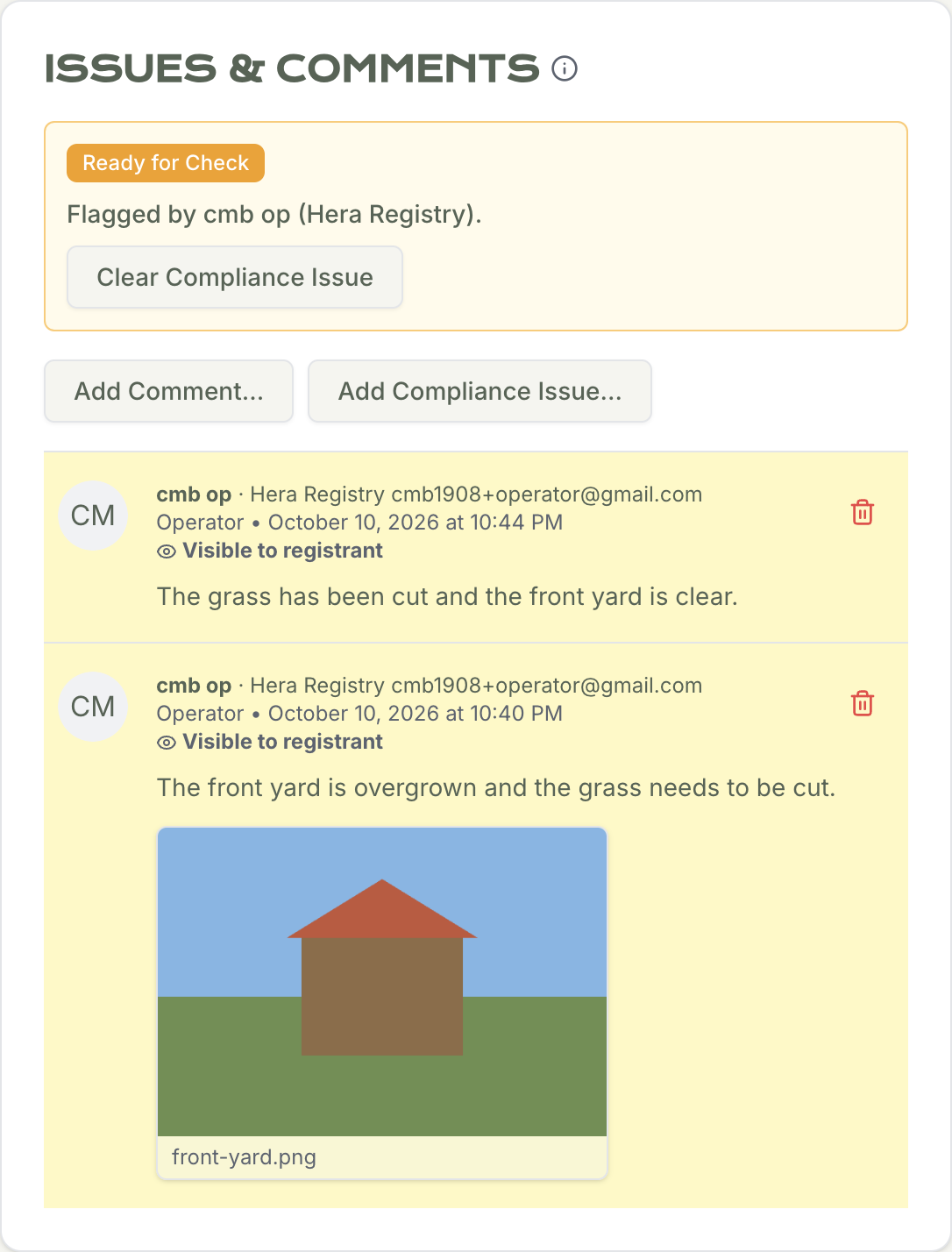
When the registrant reports the issue resolved, your Needs Attention column shows Compliance Issue and Ready for Check. Open the registration, read the registrant’s note and photos, and confirm the property.
If a government user raised the issue, a government user clears it. Click Clear Compliance Issue. The label changes to Cleared, and the property drops off Needs Attention for this issue.
If Hera Registry raised the issue, Hera Registry clears it. A government user cannot clear an issue Hera raised, and Hera cannot clear an issue a government user raised.
After it is cleared, you can flag a new issue on that registration if you need to.
Please email us at vpro@heraregistry.com if you have any questions or need assistance. We’re always here to help!